
🗂️ Managing Your Sections in Your Account
Students can manage their sections directly from their accounts. Follow the steps below:
To Register for a New Section
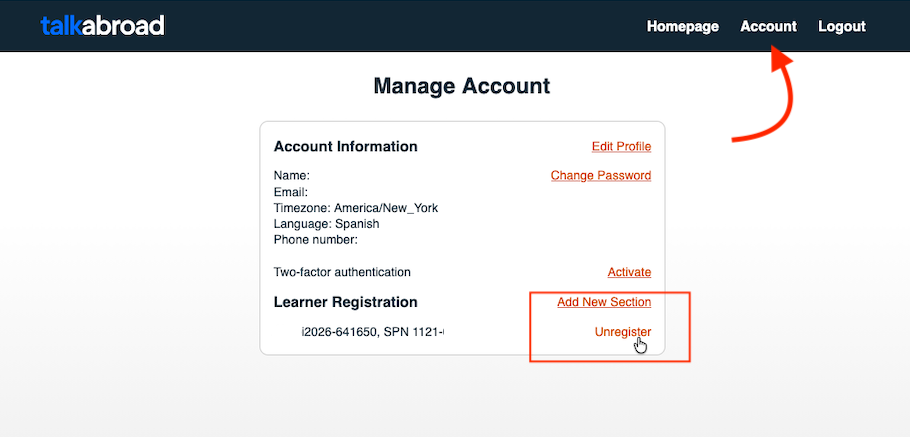
- Click Account at the top right corner of the screen.
- Click Add New Section to register for the section you want.
If You Signed Up for the Wrong Section
- Click Unregister next to the section name to remove it.
Note: Please be aware that if you have upcoming reservations or completed conversations in any of the sections you plan to unregister from, this may cause your teacher to not see a record of those calls. Please contact our support team if you need help modifying any completed assignments or upcoming bookings.