
👥 How do I join my conversation?
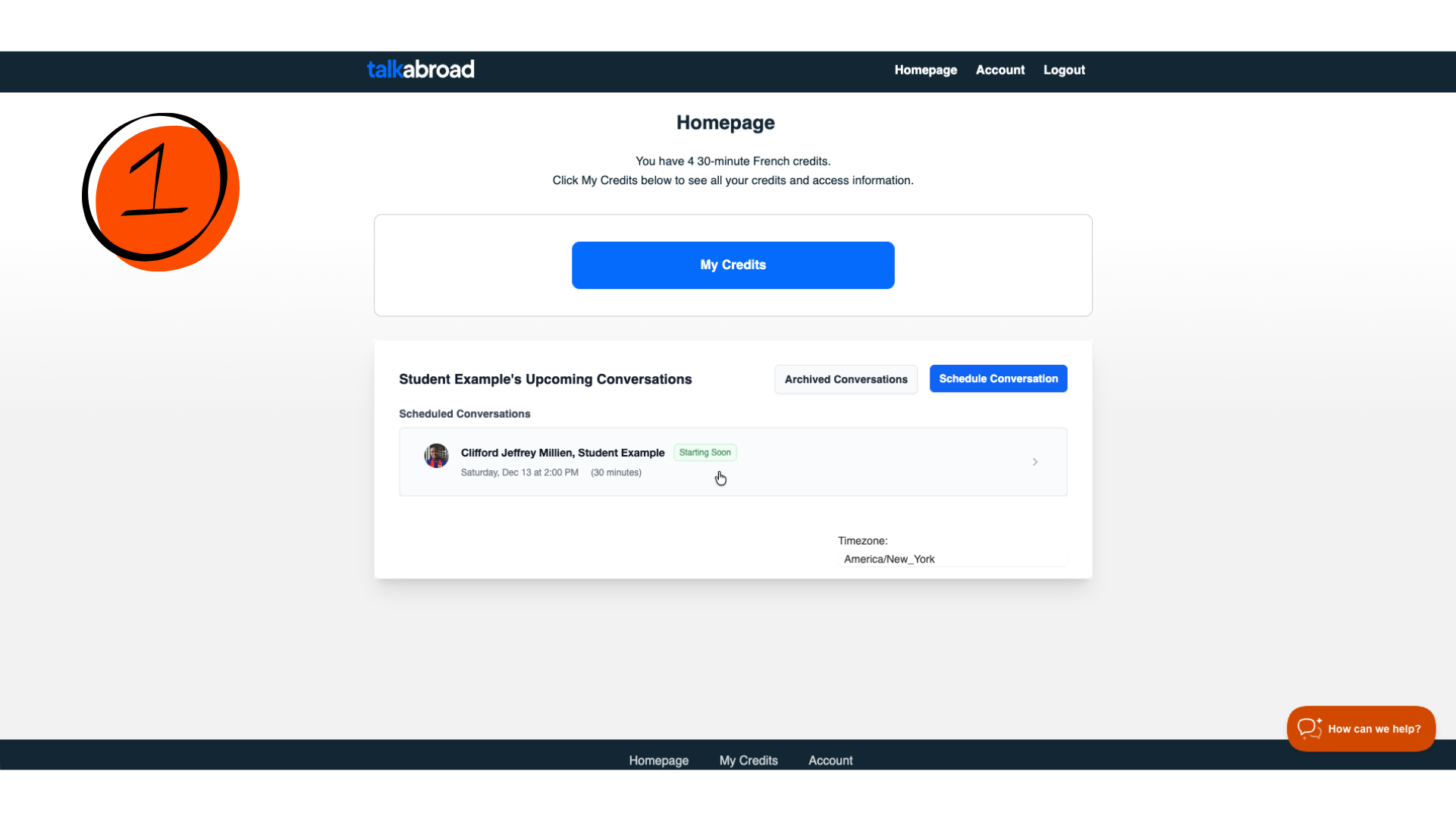
- About 5 minutes before your scheduled time, refresh the page or click “Homepage” at the top.
- Your conversation status will change to “Starting Soon” or "In Progress"
- Click the booking status.
-
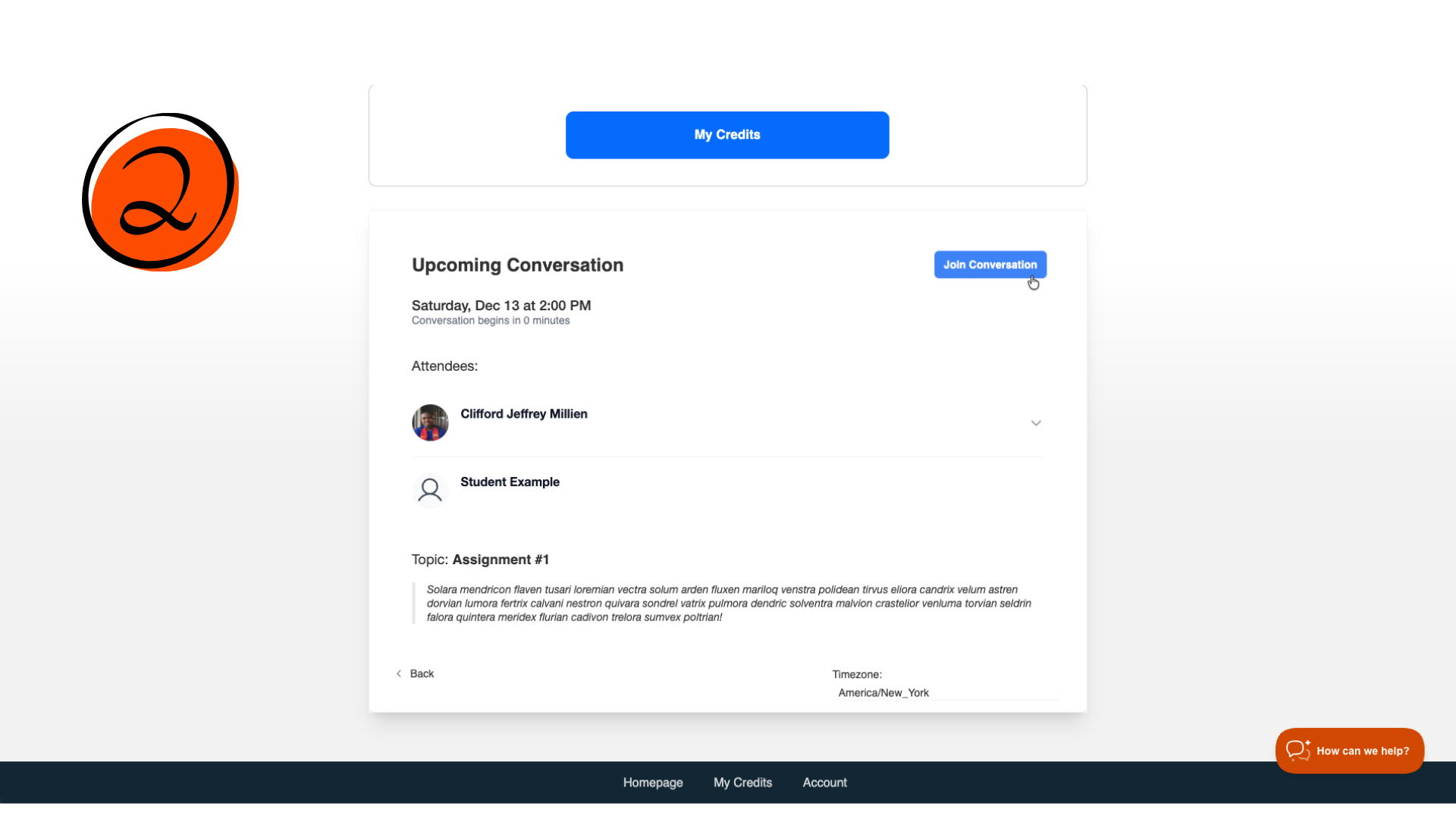
Then click “Join Conversation” to join.*
*(If you still cannot see the "join Conversation" button, try refreshing the page).
Looking for more help? Browse our full Student Help Center here!