
🛒 How do I purchase conversations credits?
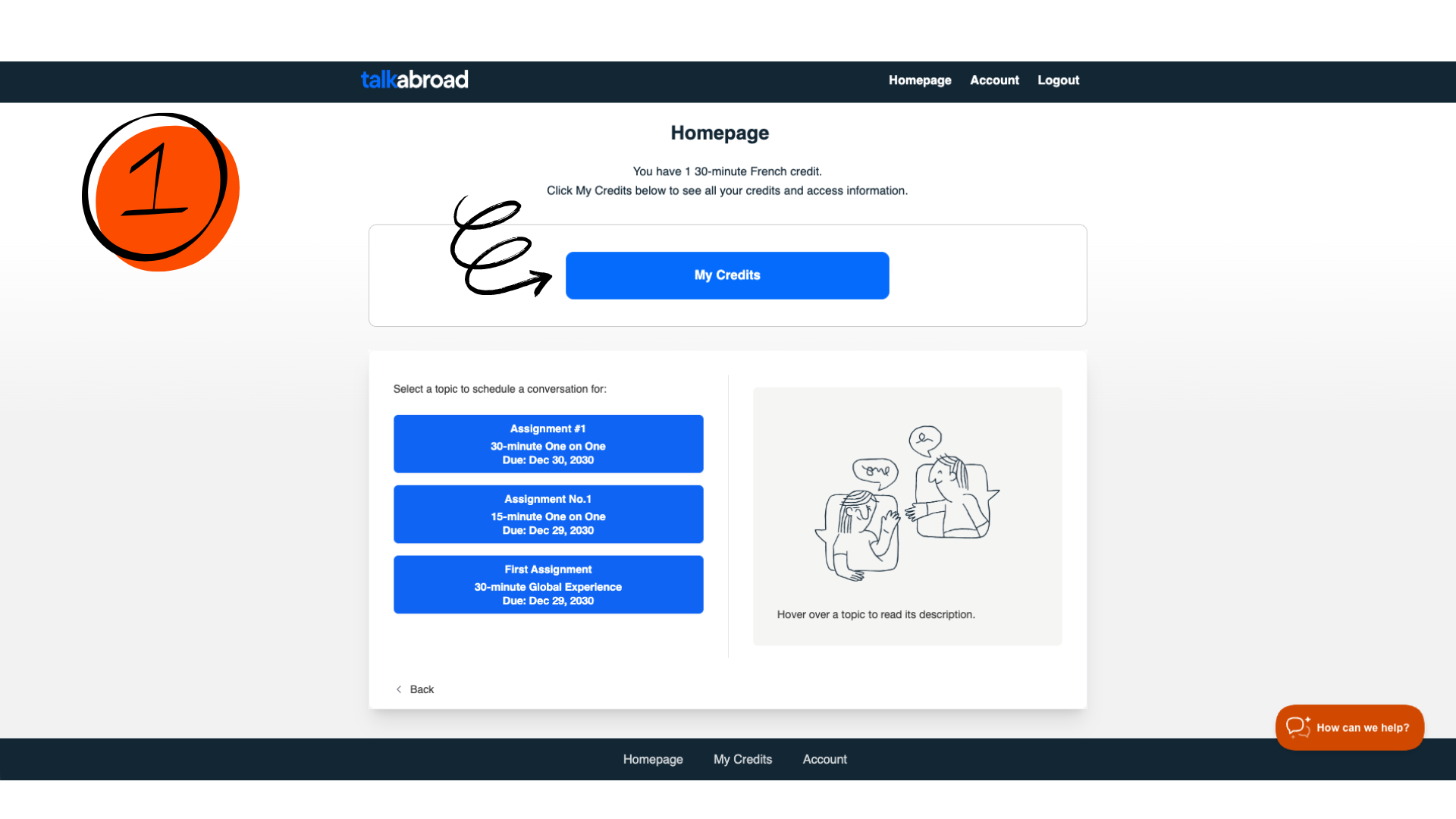
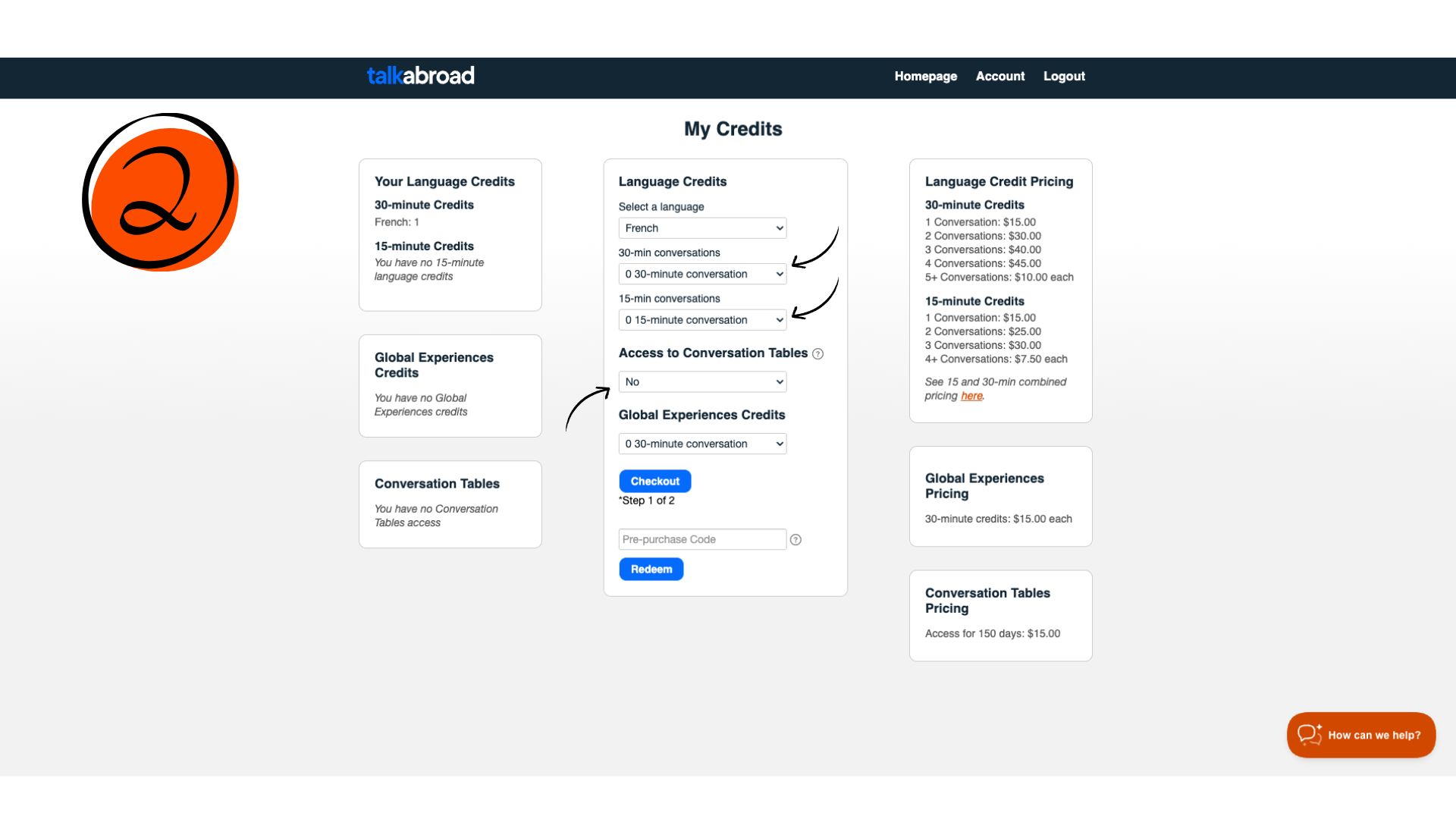
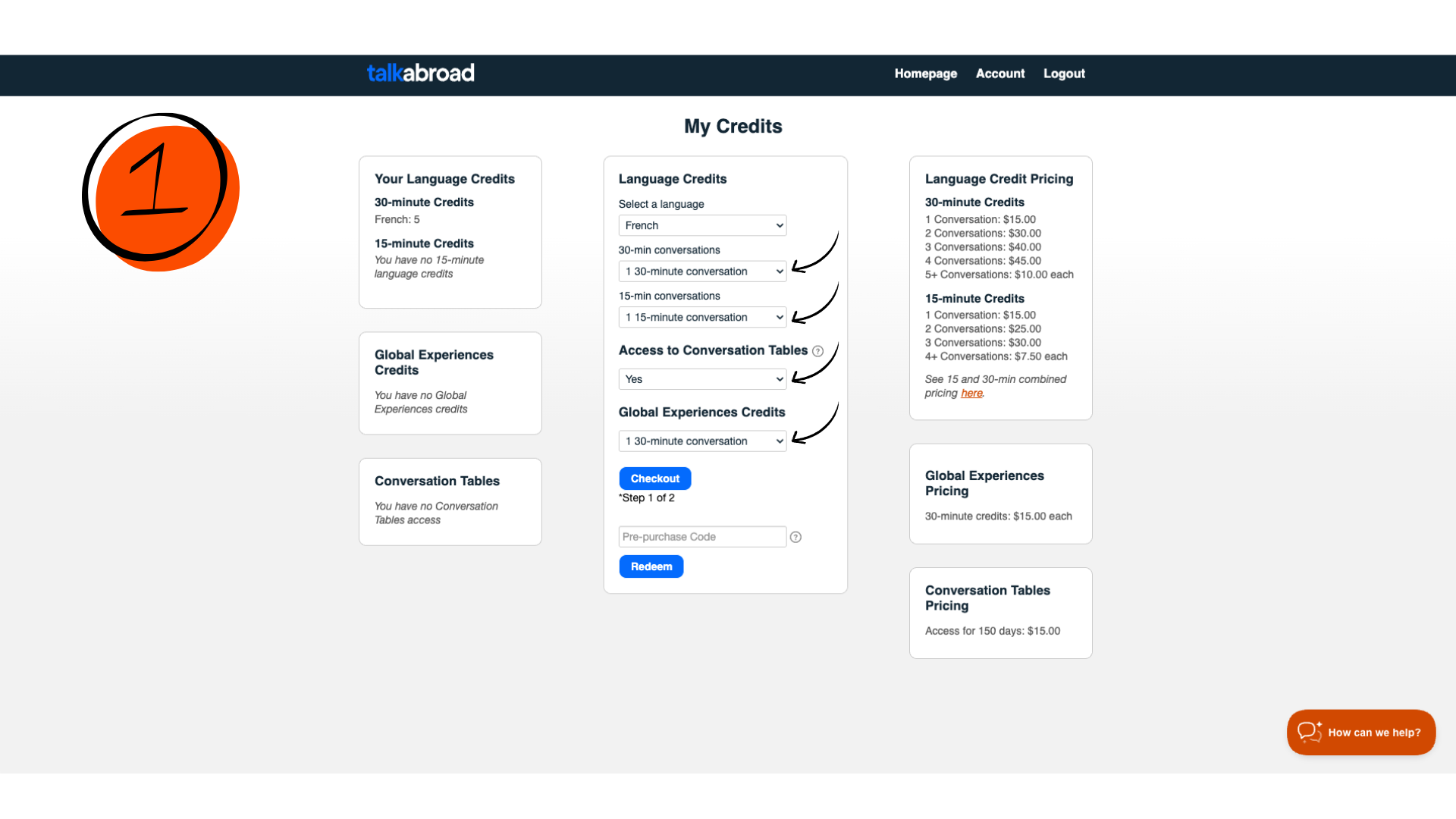
Before reserving a time for a conversation you will need to purchase credits or redeem a pre-purchase code, also known as a discount code. Click on My Credits. Be careful to select the correct amount and length for your credits.
Important information❗
- Make sure to double check if your teacher requires 15 or 30-minute conversations before checkout!
- Need to purchase Conversation Tables access? You can do that here too.
Redeeming a Pre-Purchase or Discount Code
If your conversations were purchased through the bookstore or by your teacher, you will have a pre-purchase or discount code.
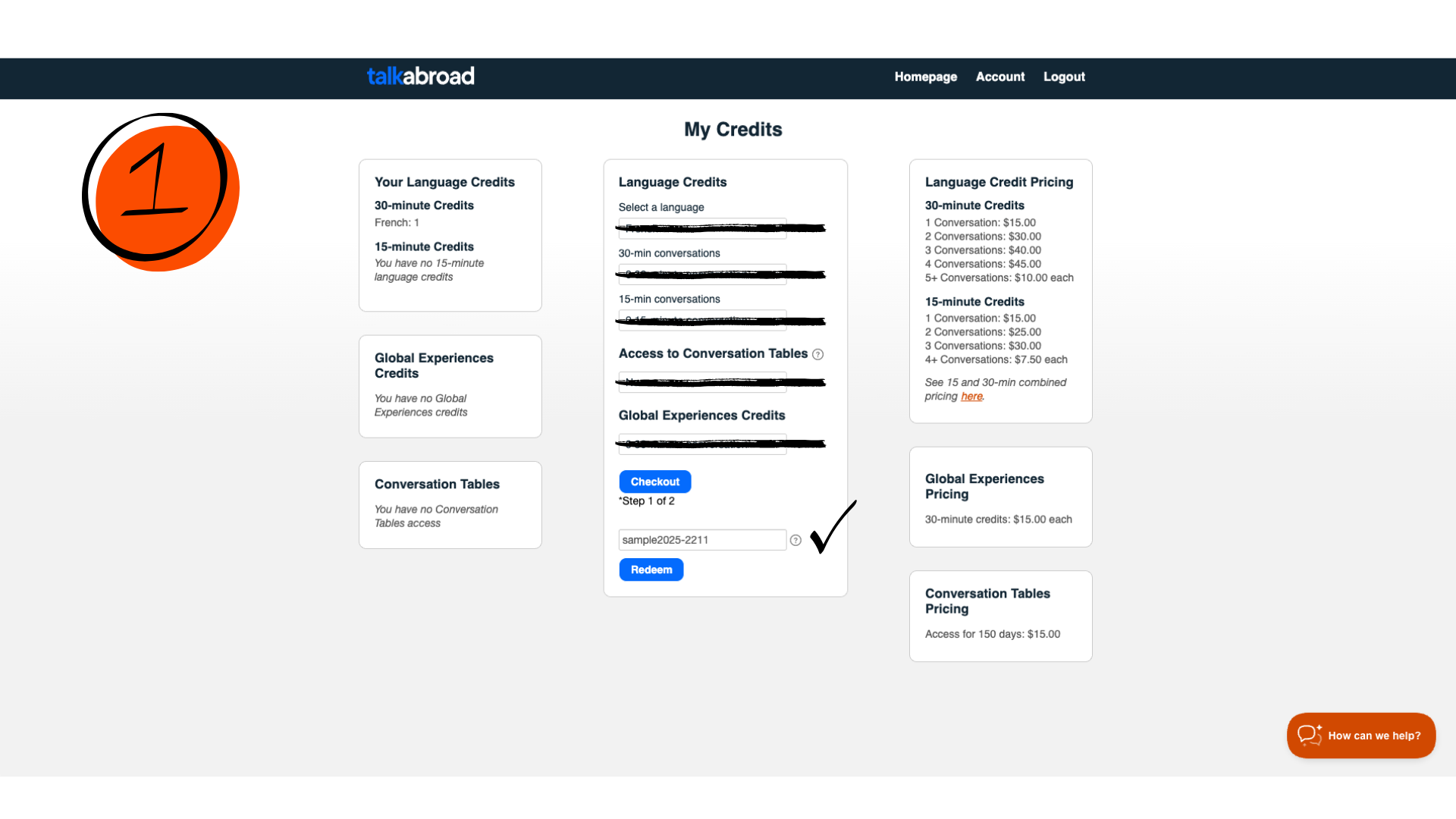
Enter the code into the space provided and click on Redeem.
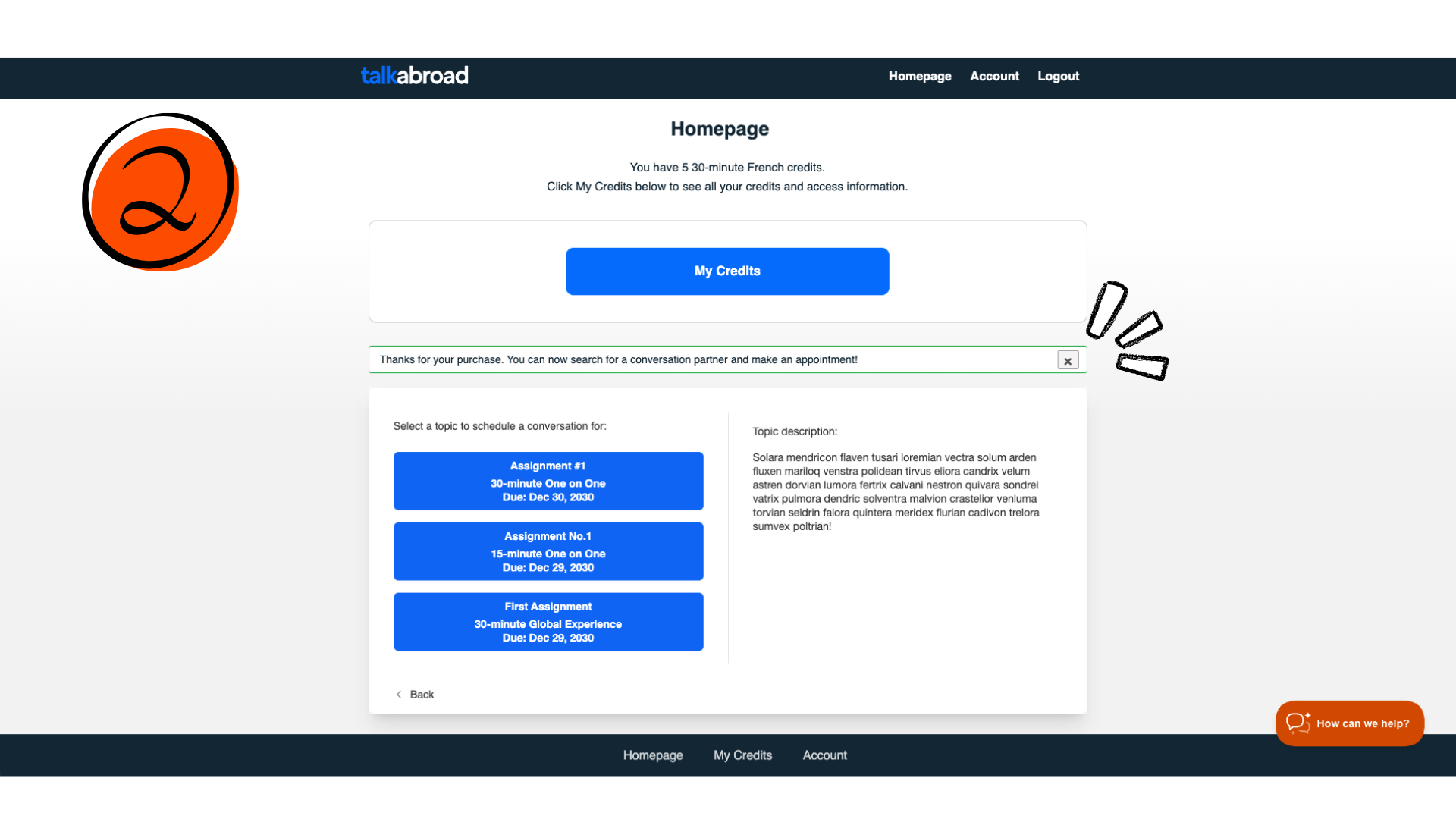
Upon entering the code, your credits will be added to your account. When redeeming a pre-purchase code, you do not need to enter any credit card information or select any amount, length, or language for your credits.
Note: Don’t worry if you selected a different amount,length,or language— the code will always provide the exact number of credits it was created for.
Paying via Credit Card
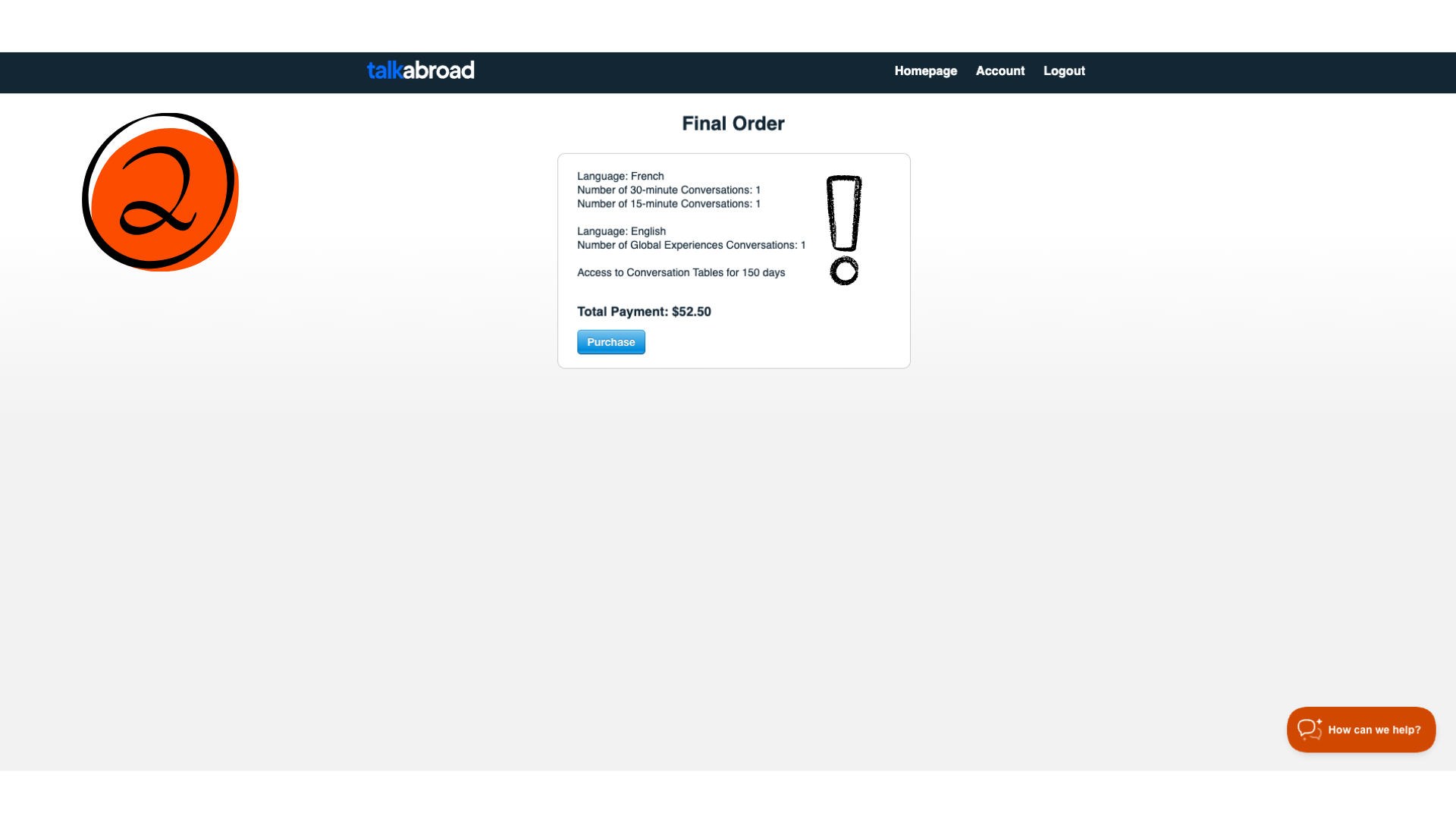
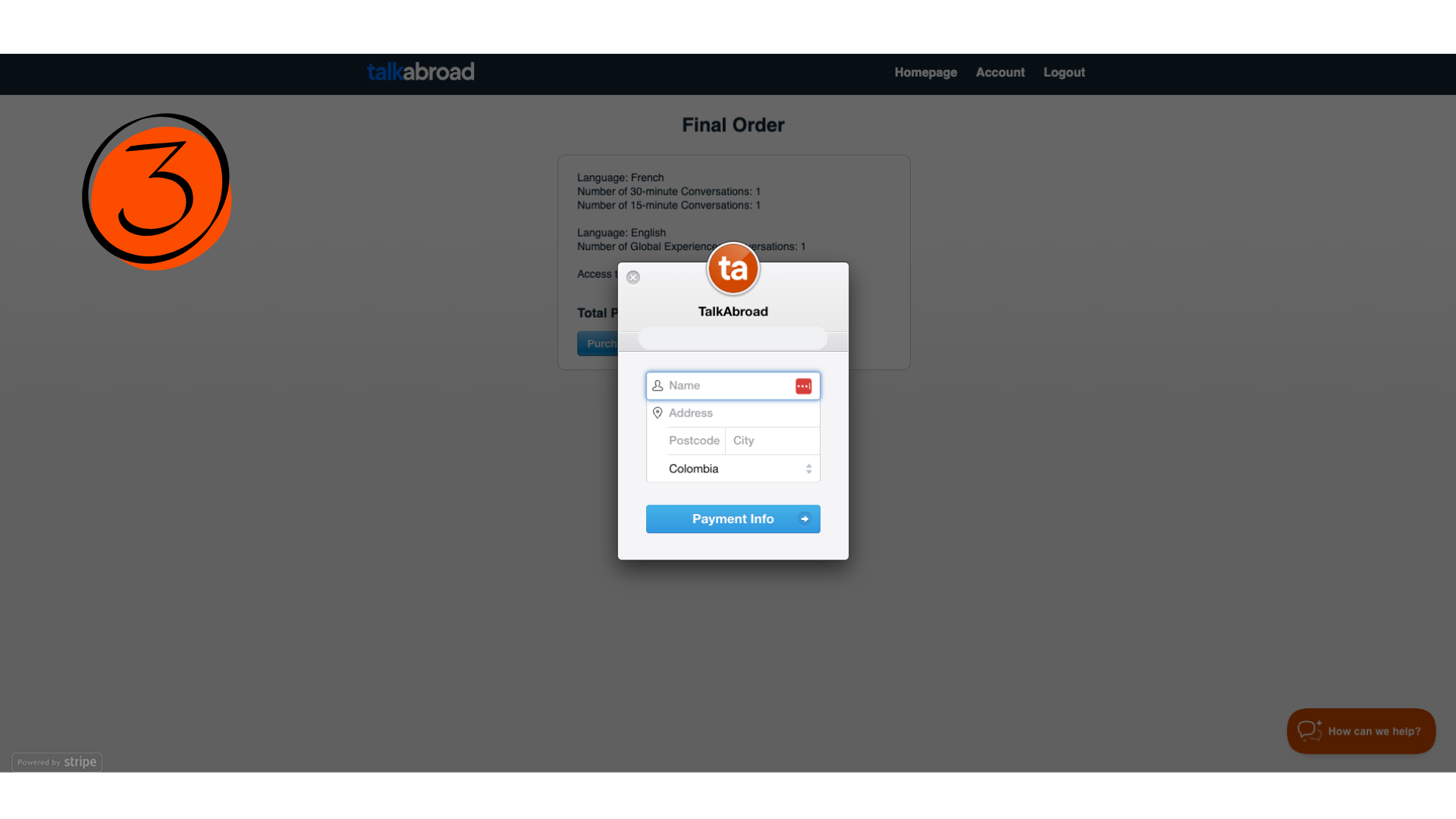
In order to pay via credit card you need to select the language, number and length of credits to purchase, and confirm payment by entering the following information:
- Credit Card Number
- CVC Code: 3-4 number code on back of physical card
- Expiration Date
- You will be charged and get a confirmation purchase email once you have confirmed the purchase.
Conversation Tables*
If you now have access to conversation tables, you can click on Conversation Tables button on your homepage to see the schedule and join a table. Go here to learn more.
Global Experiences*
If you are required to complete Global Experiences conversations (English), go here to learn more.